Voice-aware reading
In browsers with speech recognition, allow microphone access to advance through the script as you speak. You can pause or move between lines when you need to find your place.
Paste your script and choose voice following or timed scrolling. Adjust the text and enter fullscreen for speech practice or video recording with another device.
Your script stays in this browser. Voice following uses the speech recognition available in your browser.
Keep your speech, course notes, or video script in view while you speak. Adjust the text for your reading distance and use the teleprompter alongside your camera or recording app.
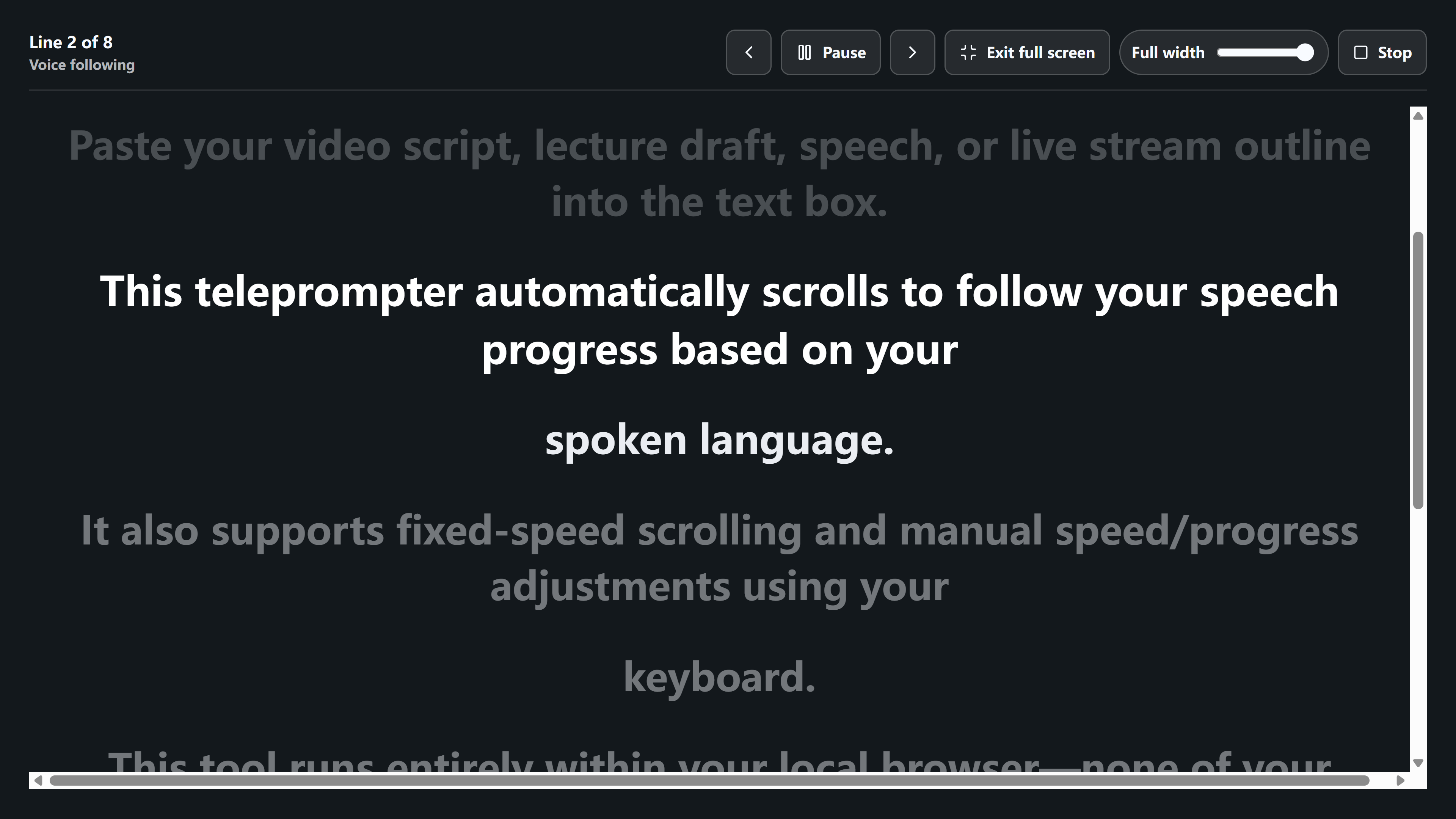
The full-screen reading view highlights the current and next lines against a dark background. Paste your script, adjust the text size, and choose voice following or timed scrolling.
View full-size exampleIn browsers with speech recognition, allow microphone access to advance through the script as you speak. You can pause or move between lines when you need to find your place.
Choose a steady scrolling speed without using the microphone. Adjust the font size and line width, or enter fullscreen to keep the script readable.
Add your speech, video script, or presentation notes. Break long passages into shorter lines that are easy to follow while speaking.
Use voice following when your browser supports speech recognition, and allow microphone access when prompted. Otherwise, choose timed scrolling and set a comfortable speed.
Adjust the font size and line width for your screen and reading distance. Enter fullscreen when you are ready to rehearse or use a separate camera to record.
Start the teleprompter, pause when needed, and use the previous or next line controls to recover your place. Return to editing whenever the script needs a change.
Yes. The teleprompter runs in the browser. Voice following depends on browser speech recognition support.
No. The script is handled in your browser. If voice following is enabled, speech recognition is provided by the browser.
Voice following needs browser speech recognition, microphone permission, and an appropriate recognition language. Check these settings if the text does not advance. If speech recognition is unavailable, use timed scrolling; you can also move to the previous or next line manually.
No. It displays and scrolls your script. Use a separate camera or recording app for video, with the teleprompter screen positioned near the camera lens.
Yes. Adjust the font size and line width to suit your screen and reading distance. In timed mode, you can set the scrolling speed, pause, and resume as needed.