Common QR formats
Build codes for URLs, WiFi access, contact cards, plain text, email, SMS, and file sharing links.
Turn links, WiFi details, and contact cards into QR codes. Customize the design and download PNG or SVG; choose a dynamic code to change its destination later.
Choose a QR type to shape the code before downloading.
Choose a QR type to shape the code before downloading.
The logo is placed in the center with extra error correction for scanning.
Give guests a WiFi connection, share a contact card, or link a poster to an event page. Choose the content type first, then style and test the QR code before adding it to your materials.
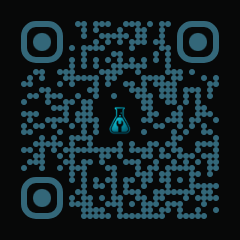
This example combines teal rounded dots with the ToolsLab logo. Enter a link, text, or Wi-Fi details, then customize the colors and dot style before downloading.
View full-size exampleBuild codes for URLs, WiFi access, contact cards, plain text, email, SMS, and file sharing links.
Preview the code, then download a compact PNG or scalable SVG for campaigns, signs, labels, and documents.
Select a URL, WiFi network, contact card, or another format. Choose Dynamic QR before printing if you need to change the destination URL later.
Fill in the destination or content and check it carefully. For dynamic codes, save the management link so you can update the destination later.
Adjust colors, corners, or a logo while keeping clear contrast and space around the code. Scan the preview with a phone to check the result.
Use PNG for everyday sharing or SVG for resizing in print. Scan the code again at its final printed size before distributing your materials.
You can use links, WiFi details, contact cards, text, email or SMS prompts, and file sharing links.
Use PNG for quick sharing and SVG when the QR code needs to stay sharp in print or design files.
Yes, if you created a Dynamic QR code. Save its management link and use it to update the destination URL while keeping the same QR image. A static QR code stores its content directly and must be regenerated when that content changes.
Files uploaded through File mode are stored for 24 hours. After that, the QR code can no longer download the file. For long-term sharing, host the file on a service you control and create a URL QR code pointing to its lasting link.
Yes. Keep strong contrast between the code and background, leave clear space around the edges, and avoid covering too much of the code with a logo. Test it on a phone at the intended print size before sharing or printing in quantity.